Discussion
Loading...

Post

  • About
  • Code of conduct
  • Privacy
  • About Bonfire
Tuta
@Tutanota@mastodon.social  路  activity timestamp 3 days ago

Thinking of #DeGoogling but not sure where to start? You've come to the right place.

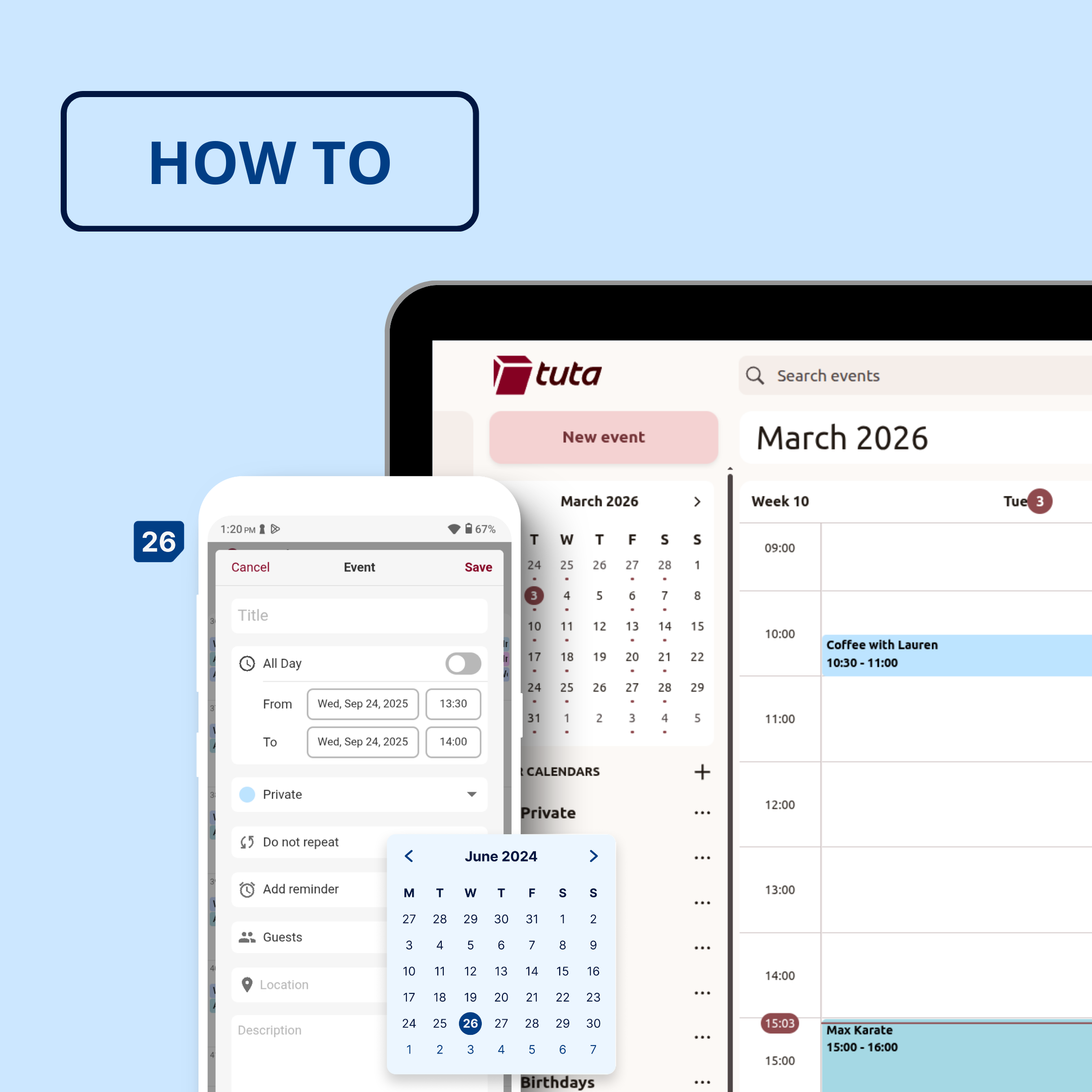
This is your go-to guide for how to use Tuta Calendar - the #BigTech free, private calendar, that's free to use!

Link 馃憠 https://tuta.com/blog/how-to-use-tuta-calendar

Why Tuta Cal? 馃搮馃挋

鉁咃笍 End-to-end encrypted

鉁咃笍 Green

鉁咃笍 Open-Source

鉁咃笍 Zero ties to Google

鉁咃笍 Zero ties to Big Tech

Tuta

How to set up & use Tuta Calendar | Tuta

Tuta Calendar is not only the best calendar for privacy, but it also helps you stay organized and plan your schedule. Today, we show you how to set up and use Tuta Calendar.
Picture shows screen of a phone and computer with Tuta Calendar.
  • Copy link
  • Flag this post
  • Block
Chaddicus
@wombatpandaa@mastodon.social replied  路  activity timestamp 2 days ago

@Tutanota does it have tasks? I've been using Proton calendar but its lack of tasks make sit not ideal for my use cases.

  • Copy link
  • Flag this comment
  • Block
Tuta
@Tutanota@mastodon.social replied  路  activity timestamp yesterday

@wombatpandaa Not yet, but that's planned.

  • Copy link
  • Flag this comment
  • Block
Chaddicus
@wombatpandaa@mastodon.social replied  路  activity timestamp yesterday

@Tutanota ooh goody, I like the sound of that. Anything timeframe you're looking at?

  • Copy link
  • Flag this comment
  • Block
Tuta
@Tutanota@mastodon.social replied  路  activity timestamp yesterday

@wombatpandaa No sorry, but some of our devs want it, too, so you'll never know. ;)

  • Copy link
  • Flag this comment
  • Block
Chaddicus
@wombatpandaa@mastodon.social replied  路  activity timestamp yesterday

@Tutanota no worries! I can be patient

  • Copy link
  • Flag this comment
  • Block
s1m0n4
@s1m0n4@ohai.social replied  路  activity timestamp 2 days ago

@Tutanota@mastodon.social there's one feature that I really miss from #Gmail and it's not yet a available on #Tuta: custom filter rules.
I want to be able to automatically label emails from my accountant (or move them to a specific folder) based on the sender e-mail address (or even the email subject).
Ex: "Your VAT March declaration" from pablo@accountant.eu
鉃★笍 all e-mails from pablo@accountant.eu go to the folder "Accountancy".
鉃★笍 E-mails with "VAT" in the subject automatically get labeled "VAT"

  • Copy link
  • Flag this comment
  • Block
Edinei Cavalcanti
@neiesc@mastodon.social replied  路  activity timestamp 3 days ago

@Tutanota awesome

  • Copy link
  • Flag this comment
  • Block
Ati
@ati1@mastodon.social replied  路  activity timestamp 3 days ago

@Tutanota You re doing great job there Tuta 馃憤 Please keep thinking about ARM processors and small screens support on your Linux app. It's great to use your mail/ calendar, even better that they are on F-Droid but knowing big techs and seeing what Google does ... we're gonna land on Linux both on desktop and mobile sooner or later And yep I prefer it to be sooner 馃槑 and taking Tuta with me 馃

  • Copy link
  • Flag this comment
  • Block
Tuta
@Tutanota@mastodon.social replied  路  activity timestamp 3 days ago

@ati1 Thanks for the suggestion and for supporting Tuta Mail馃槏

  • Copy link
  • Flag this comment
  • Block
SueDiOh
@SueDiOh@mastodon.social replied  路  activity timestamp 3 days ago

@Tutanota I'm going to try this. I'm trying to reduce my use of google.

  • Copy link
  • Flag this comment
  • Block
Tuta
@Tutanota@mastodon.social replied  路  activity timestamp 3 days ago

@SueDiOh Nice! We look forward to welcoming you. 馃槑

  • Copy link
  • Flag this comment
  • Block
Log in

Bonfire social

Bonfire social: About 路 Code of conduct 路 Privacy 路
Bonfire social 路 1.0.0-rc.3.6 no JS en
Automatic federation enabled
  • Explore
  • About
  • Code of Conduct
Home
Login