
I love how simple Kitten’s Streaming HTML workflow makes building features like this, especially when using class-based Kitten pages and components :)
 💕
💕
#Kitten #SmallWeb #StreamingHTML #EventBasedProgramming #ObjectOrientedProgramming #JavaScript #NodeJS #web #dev #GazaVerified
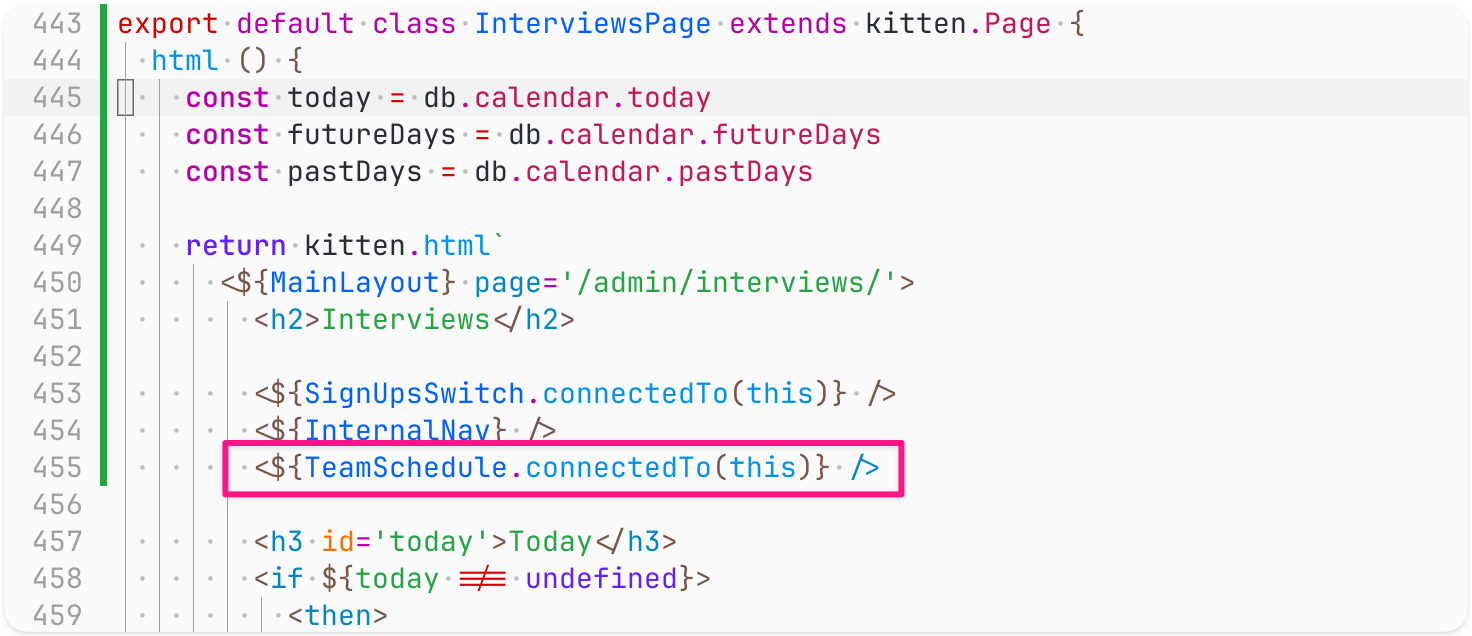
Screenshot of code (the <${TeamSchedule.connectedTo(this)} /> line is highlighted):
export default class InterviewsPage extends kitten.Page {
html () {
const today = db.calendar.today
const futureDays = db.calendar.futureDays
const pastDays = db.calendar.pastDays
return kitten.html`
<${MainLayout} page='/admin/interviews/'>
<h2>Interviews</h2>
<${SignUpsSwitch.connectedTo(this)} />
<${InternalNav} />
<${TeamSchedule.connectedTo(this)} />
<h3 id='today'>Today</h3>
<if ${today !== undefined}>
<then>
![Screenshot of code, continuation of the same class, starting with the end of the html() method from the previous screenshot and going till the end of the class (the table[inert] style and the onToggle() method are highlighted:
<style>
table[inert] {
opacity: 0.9;
filter: grayscale(100%);
}
</style>
</table>
</section>
`
}
onToggle () {
this.editable = !this.editable
console.log(this.editable)
this.update()
}
}](https://s3-eu-central-1.amazonaws.com/mastodon-aral/media_attachments/files/115/701/475/591/066/309/original/0dd9da4ffbc5e31c.png)
Screenshot of code, continuation of the same class, starting with the end of the html() method from the previous screenshot and going till the end of the class (the table[inert] style and the onToggle() method are highlighted:
<style>
table[inert] {
opacity: 0.9;
filter: grayscale(100%);
}
</style>
</table>
</section>
`
}
onToggle () {
this.editable = !this.editable
console.log(this.editable)
this.update()
}
}
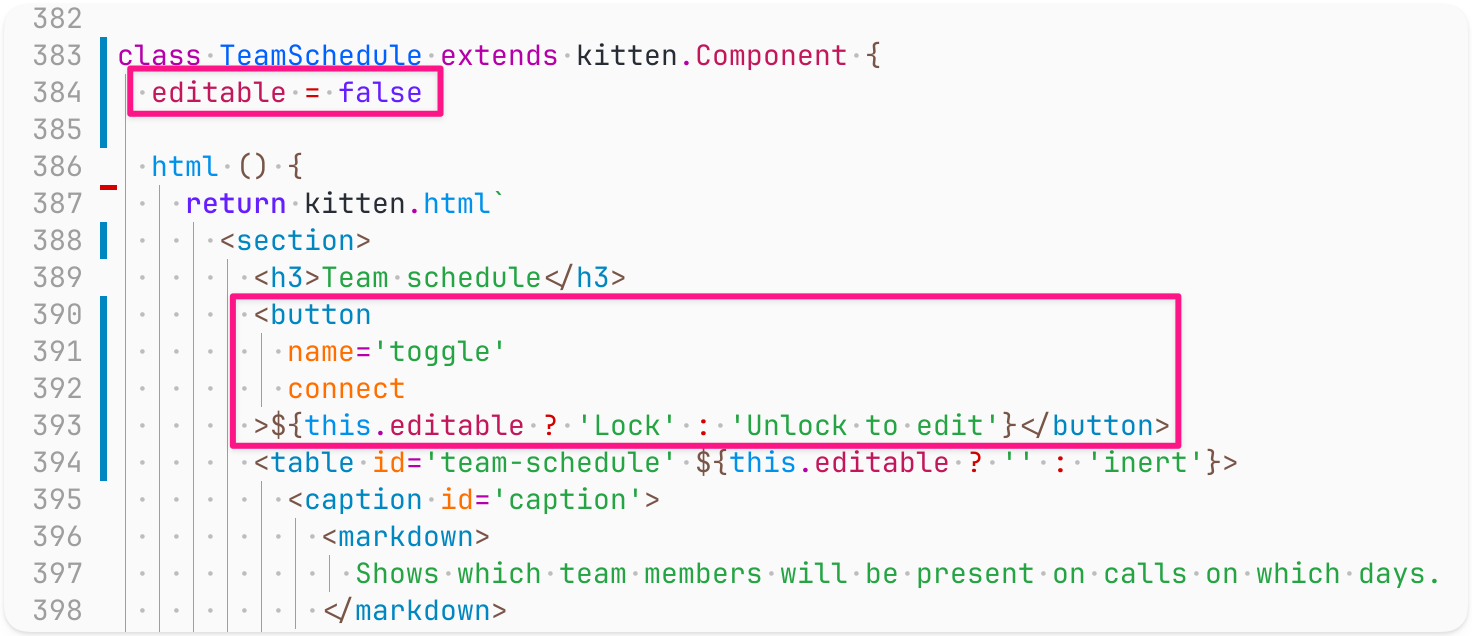
Screenshot of code (the lines editable=false and the button tag code are highlighted):
class TeamSchedule extends kitten.Component {
editable = false
html () {
return kitten.html`
<section>
<h3>Team schedule</h3>
<button
name='toggle'
connect
>${this.editable ? 'Lock' : 'Unlock to edit'}</button>
<table id='team-schedule' ${this.editable ? '' : 'inert'}>
<caption id='caption'>
<markdown>
Shows which team members will be present on calls on which days.
</markdown>